
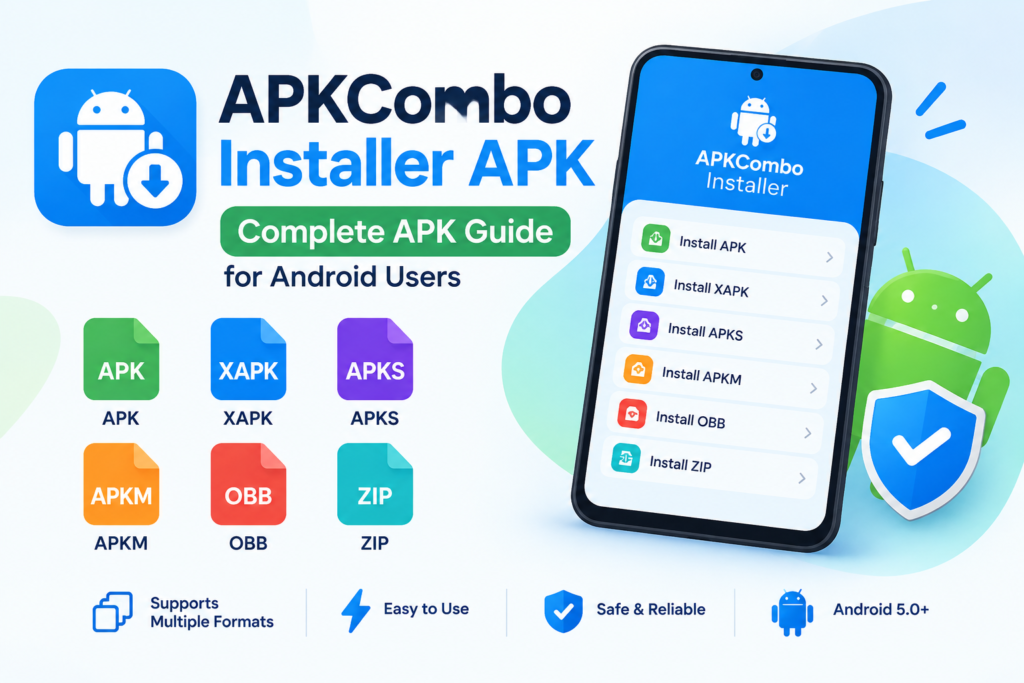
APKCombo Installer APK – Introduction
Installing Android applications is usually a simple process. You open Google Play Store, search for an app, and tap the Install button. However, things can become more complicated when an app comes in a special package format such as XAPK, APKS, APKM, or a ZIP file containing additional data.
This is where APKCombo Installer APK can be useful. It is an Android utility designed to help users install different types of application packages without relying only on the standard Android package installer. The official APKCombo listing describes support for APK, XAPK, APKS, OBB, APKM, and ZIP files.
In this APK guide, we will explore what APKCombo Installer does, its main features, how to use it, its compatibility, and important safety considerations. We will also explain the difference between APKCombo Installer and APKCombo Play Store so you can understand which option is suitable for your needs.


6
What Is APKCombo Installer APK?
APKCombo Installer APK is an Android application package installer developed by APKCombo. Its main purpose is to help users install application files that may not be handled directly by the default Android installer.
Unlike a normal APK, some Android applications are distributed in multiple files. For example, an app may contain a base APK, split APK files, or additional OBB data. APKCombo Installer is designed to support these different package types through one utility.
The app is especially relevant to people who download Android applications from third-party websites, install archived app versions, or work with files that are not available as a single standard APK.
What Does APKCombo Installer Do?
The primary functions include:
- Installing standard APK files.
- Supporting XAPK packages.
- Handling APKS and other split APK packages.
- Supporting APKM and ZIP packages.
- Working with OBB data files.
- Providing a convenient way to select installation files from Android storage.
It is important to understand that APKCombo Installer is an installation tool, not a guarantee that every application file is safe or compatible with your phone.
APKCombo Installer APK Features
1. Support for Multiple APK Formats
One of the biggest reasons users look for APKCombo Installer APK is its support for different Android package formats.
A normal APK is usually easy to install by tapping the file. However, split packages and bundled application files can require a specialized installer. APKCombo Installer is intended to make this process easier.
2. XAPK Installation
XAPK files can contain an APK together with additional application data. These files are commonly used for Android apps and games that need more than a single installation package.
APKCombo Installer lists XAPK among its supported formats, making it useful for users who encounter this type of file.
3. APKS and Split APK Support
Some Android applications are divided into multiple APK files. This approach allows applications to include different resources for different devices.
Installing split APK packages manually can be confusing because the required files must work together. APKCombo Installer is designed to help with these package formats.
4. OBB and ZIP Support
Some older or larger Android games use OBB data files for additional resources. APKCombo Installer also lists OBB and ZIP among its supported formats.
However, support for a file format does not mean every package will install successfully. Compatibility depends on the app, Android version, device architecture, and package structure.
5. Lightweight Android Utility
APKCombo’s listing identifies the installer as a small Android tool. The listing displays an approximately 3 MB download and Android 5.0 or newer compatibility information in its version history.
This makes it a relatively lightweight option for users who need a dedicated package installer.
APKCombo Installer APK: Version and Compatibility
Before installing APKCombo Installer APK, it is worth checking the available version and Android requirements. APK listings can change, and different pages may display different version details.
The official APKCombo product page currently presents the installer with the following information.
| Detail | Information |
|---|---|
| App name | APKCombo Installer |
| Developer | APKCombo |
| Category | Tools |
| Package name | com.apkcombo.app |
| Latest version displayed in listing | 4.0 |
| Android compatibility | Android 5.0+ in the version history |
| Download size displayed | About 3 MB |
| Supported formats | APK, XAPK, APKS, APKM, OBB, ZIP |
Important: The APKCombo page has inconsistent version information. Its summary displays version 4.0, while the old-version section lists APKCombo Installer 4.2 dated September 29, 2025. The official listing should be checked directly for the current release before downloading.
Does APKCombo Installer Work on Android 11, 12, 13, and 14?
APKCombo’s listing states compatibility with Android 5 through Android 11 in its app description. That does not establish that every newer Android version will work correctly.
Your experience may depend on:
- Android version.
- Device manufacturer.
- Package format.
- Application requirements.
- Security restrictions on your phone.
For Android 12, 13, 14, or newer, check the app’s current compatibility information and test only with a legitimate application package.
How to Download APKCombo Installer APK
If you are searching for APKCombo Installer APK, use a trustworthy source and verify the file before opening it.
Recommended Download Source

APKCombo Installer
Official APKCombo app listing
Android utility
Check the official listing for package details, available versions, and installation information.View APKCombo Installer
Steps to Download
- Open the official APKCombo Installer listing.
- Review the app name, developer, version, and Android requirements.
- Check that the package name is
com.apkcombo.app. - Download the APK from a source you trust.
- Scan the downloaded file with a reputable security tool before installing.
- Keep your original download location and file details for reference.
Avoid downloading files from random pop-ups, fake download buttons, or websites that ask you to install unrelated apps.
How to Install APKCombo Installer APK on Android
The following is a general installation guide for an APK file. Android menus can vary by phone brand and operating system.
Step 1: Download the APK File
First, download the APKCombo Installer APK from a trustworthy source. Make sure you have enough storage space and that the file is intended for Android.
Step 2: Open the Downloaded File
Open your phone’s Downloads folder or file manager. Locate the APK file and tap it.
Android may display a security warning because the app was downloaded outside Google Play.
Step 3: Allow Installation When Required
Depending on your Android version, you may need to allow the browser or file manager to install unknown apps.
If you see this setting, use the permission only for the source you trust. Do not enable unknown-app installation for every application.
Step 4: Review the Installation Screen
Check the application name and package details. If Android shows unexpected warnings or permissions, stop and verify the file.
Step 5: Complete Installation
Follow the on-screen instructions. After installation, you can open APKCombo Installer and explore its available functions.
Safety reminder: Never disable Google Play Protect just to install an APK. If the system blocks an app because it may be harmful, investigate the reason before continuing.
How to Use APKCombo Installer
APKCombo Installer is intended to simplify the process of installing different Android package formats. The following steps describe the general workflow documented for the app.


4
Install an APK File
- Open APKCombo Installer.
- Choose the installation option.
- Locate the APK file in your phone’s storage.
- Select the file.
- Follow the on-screen installation instructions.
- Open the app after installation if the process is successful.
Install an XAPK File
- Download a legitimate XAPK file.
- Open APKCombo Installer.
- Select the installation option.
- Locate the XAPK file.
- Select it and follow the prompts.
- Wait for the installation to finish.
Install APKS or APKM Files
Split APK packages can contain several files that work together. Use the installer to select the package and follow its instructions.
If the package fails, do not randomly install individual files or download additional files from unknown websites. Find the correct package version and check whether it matches your device.
Install OBB or ZIP Packages
OBB and ZIP packages may contain additional data. The installer supports these formats according to APKCombo’s listing, but not every package will work with every Android game or application.
APKCombo Installer vs APKCombo Play Store
These two keywords are related, but they describe different purposes.
What Is APKCombo?
APKCombo is an Android application download website that provides app listings and APK-related resources. Its installer is a separate utility designed to help users install package files.
What Does APKCombo Play Store Mean?
The keyword APKCombo Play Store is commonly used by people looking for Google Play Store apps or APK downloads through APKCombo.
It is important to distinguish between:
- Google Play Store: Google’s official Android app marketplace.
- APKCombo: A third-party website for Android app downloads and related resources.
- APKCombo Installer: A tool for installing supported application package files.
APKCombo Installer is not the same application as Google Play Store. It should not be considered an official replacement for Google’s app marketplace.
Comparison Table
| Feature | APKCombo Installer | Google Play Store |
|---|---|---|
| Main purpose | Install supported package files | Discover and install apps |
| Developer | APKCombo | |
| Standard app marketplace | No | Yes |
| APK/XAPK installation utility | Yes, supported formats | Standard Android app installation |
| Official Google service | No | Yes |
| Best use | Manual package installation | Everyday app downloads |
For most users, Google Play Store remains the simplest choice for downloading apps. APKCombo Installer is more relevant when you already have a compatible package file that needs a specialized installer.
Is APKCombo Installer APK Safe?
Safety is one of the most important questions before installing any third-party Android utility.
The answer is not simply yes or no. You need to consider both the installer and the application files you install through it.
1. The Download Source Matters
Download the installer from a source you trust. A modified APK from an unknown website may not be the same as the original application.
APKCombo’s own listing provides the app details, but that does not prove that every copy circulating online is authentic.
2. Check the APK File
Before installing:
- Check the filename and package name.
- Review the developer information.
- Scan the APK with a reputable security service.
- Avoid suspicious modified versions.
- Be cautious of files that request unrelated permissions.
3. Be Careful With Third-Party App Files
An installer can help process an APK, but it cannot guarantee that the application itself is safe.
For example, a game downloaded from an unknown source might contain unwanted software even if the installer works correctly.
4. Keep Google Play Protect Enabled
Google Play Protect is an important Android security feature. Keep it enabled unless you have a specific, well-understood reason not to.
If Play Protect warns you about an app, investigate the warning rather than ignoring it.
5. Consider Privacy
Review the permissions requested by both the installer and the app you are installing. A simple package installer should not automatically require access to unrelated sensitive information.
Advantages of APKCombo Installer APK
Supports Multiple Formats
The app is designed for APK, XAPK, APKS, APKM, OBB, and ZIP packages. This is useful when a normal APK installer cannot handle a file.
Convenient for Manual Installation
Instead of searching for a separate tool for every package format, users can try one dedicated installer.
Useful for Archived Applications
People who have legitimate older APK files may find a package installer useful when the app is no longer available in their usual app store.
Lightweight Design
The APKCombo listing identifies the app as a small tools utility, making it suitable for users who want a focused installer rather than a large application.
Disadvantages and Limitations
Not a Complete Replacement for Google Play
APKCombo Installer is not a full app marketplace. It does not replace the discovery, updates, and distribution experience of Google Play Store.
Compatibility Problems
Some APK files may fail because of incompatible Android versions, CPU architecture, missing components, or package restrictions.
Third-Party Download Risks
Downloading APK files from unknown sources can expose your device to security risks.
Version Information May Be Confusing
The official listing displays inconsistent version details, so you should verify the current release before installing.
Not Every App Will Install
An installer cannot solve every application problem. Some apps require special services, device features, licenses, or online verification.
APKCombo Installer APK Troubleshooting Guide
APKCombo Installer Is Not Installing
Try these basic checks:
- Verify that the APK file is complete.
- Check the Android version requirements.
- Make sure you have enough storage.
- Confirm that the package is compatible with your device.
- Check for an existing conflicting version of the app.
- Try a legitimate alternative package if the file is damaged.
XAPK File Not Working
If an XAPK fails to install, the file may be incomplete or incompatible.
Check:
- Whether the download finished correctly.
- Whether the package matches your Android version.
- Whether the app requires additional data.
- Whether the package comes from a reliable source.
APKM or APKS Installation Error
Split packages can fail when they do not contain the required components for your device.
Do not install random APK files from the package individually unless you understand the package structure and the app’s requirements.
App Installed but Does Not Open
Installation and successful operation are different things.
An app may install but fail to open because of:
- Unsupported Android version.
- Missing libraries.
- Incompatible device architecture.
- Missing application data.
- Server-side restrictions.
- App-specific requirements.
APKCombo Installer APK Alternatives
If APKCombo Installer does not meet your needs, other Android package installation tools are available.
APKMirror Installer
APKMirror Installer is another tool designed for installing supported Android app package formats.
Split APKs Installer (SAI)
Split APKs Installer is commonly used for working with split APK packages.
APK Installer by Uptodown
APK Installer by Uptodown is an alternative Android installer listed on Google Play. Its listing describes support for APK, XAPK, and split APK packages, along with backup-related features.
Which One Should You Choose?
| Your need | Suggested option |
|---|---|
| Download ordinary apps | Google Play Store |
| Install supported APKCombo package files | APKCombo Installer |
| Work with split APK files | A compatible split APK installer |
| Install supported packages from another provider | APK Installer by Uptodown |
Always check current compatibility, security, and app permissions before choosing an installer.
CONCLUSION
APKCombo Installer APK can be a useful Android utility for people who need to install supported package formats such as XAPK, APKS, APKM, OBB, ZIP, and standard APK files.
Its main advantage is convenience. Instead of handling different package formats manually, users can try a dedicated installer designed for these files.
However, it is not necessary for everyone. If you normally download applications from Google Play Store, you may never need a separate APK installer.
Frequently Asked Questions
What is APKCombo Installer APK?
APKCombo Installer APK is an Android utility for installing supported package formats such as APK, XAPK, APKS, APKM, OBB, and ZIP files.
Is APKCombo Installer free?
APKCombo’s listing presents the installer as a free download. Check the current source for any changes before installing.
Can APKCombo Installer install XAPK files?
Yes. XAPK is one of the formats listed as supported by APKCombo Installer.
Is APKCombo Installer the same as Google Play Store?
No. APKCombo Installer is a package installation tool, while Google Play Store is Google’s official Android app marketplace.
Does APKCombo Installer require root?
The APKCombo Installer documentation available through third-party listings describes it as working without root. However, package compatibility and Android security restrictions can still affect installation.
Can I install APKCombo Installer on Android 13 or newer?
The available APKCombo listing confirms older Android compatibility information, but it does not establish reliable support for every newer Android version. Check the current version and test compatibility before using it.
Why does my APK fail to install?
An APK can fail because of an incompatible Android version, unsupported architecture, corrupted download, or package restrictions. Check the file and device requirements.
Is APKCombo Play Store an official Google app?
No. The term APKCombo Play Store generally refers to searches for Google Play Store apps or APK-related downloads on APKCombo. It should not be confused with Google’s official Play Store.